Importing Sales Register
Overview
Octa needs your sales register data from your ERP (or accounting software) to help you with GST return preparation, reconciliation, and other compliance tasks.
You can import sales data in two main ways:
- Document level (individual invoices/credit-debit notes): Octa automatically creates all required summaries and reports for you.
- Summary level (totals already calculated): Use this if your ERP already gives you ready-made summaries.
You can mix both methods or import from multiple sources — that's completely fine! But never import the same transaction twice (once as document + once as summary). This causes double counting of liability and creates problems in your returns.
Supported Import Formats
Pick the format that matches your data source. You can use one or combine multiple formats to cover all your sales.
| Format | Best to use when… |
|---|---|
| Amazon Format | You sell on Amazon and want to import the Monthly Tax Report (MTR) Excel file generated from Amazon Seller Central |
| Flipkart Format | You sell on Flipkart and want to import the Excel file from the Flipkart Marketplace Portal |
| Meesho Format | You sell on Meesho and want to import the Excel file from the Meesho Supplier Portal |
| GSTR-1 Format | Use this if your ERP can export data in the official GSTR-1 format |
| Octa Format | Recommended when none of the above formats match — simple & flexible template provided by us — even supports multiple company GSTINs in one single file! |
Need a custom format? If your ERP uses a unique format, don't worry! We can build a custom connector for you. Just export from your ERP and import directly into Octa — no manual changes needed. Interested? Raise a support ticket and our team will get in touch.
How to Import Your Sales Data
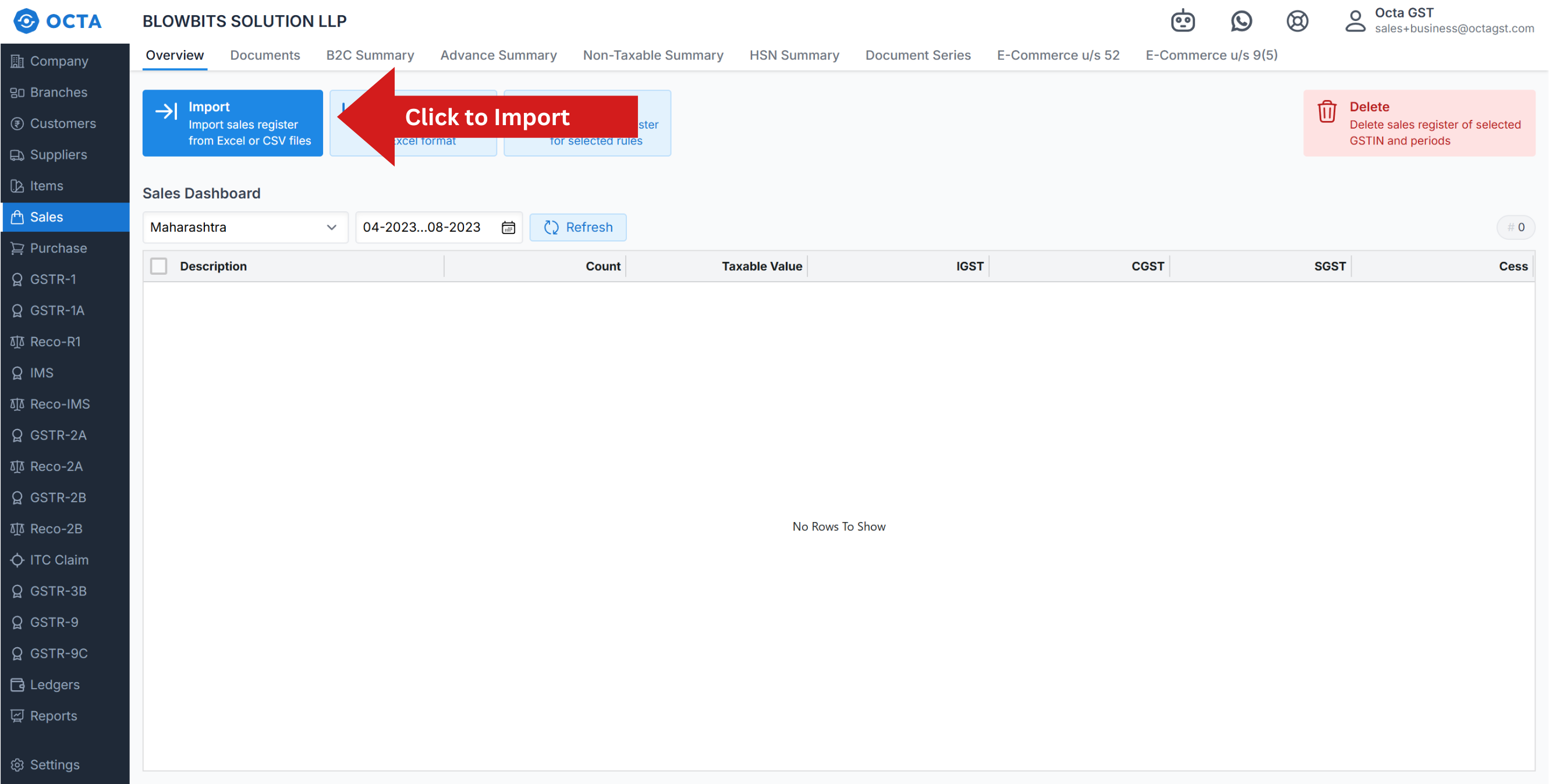
- Open your company in Octa
- Go to the Sales page
- Click the Import button
- Choose the correct format from the list
- Upload your Excel or CSV file
- Add any required extra info (only for some format)
- Your company's GSTIN
- Return period/month
- Type of sales — B2B, B2C, exports, etc.
- Click Continue and follow the simple on-screen instructions
That's it! The import usually takes less than a minute.
Importing Data from Multiple Sources
- Do you have sales from different platforms (Amazon + Flipkart + your website + offline)?
- Do you have multiple branches with separate accounting or ERP systems?
No issue — simply repeat the import steps for each source. Use a different format each time if needed. Octa smartly combines everything into one clean, consolidated view for your GSTIN.
What if There Are Errors?
Before adding your data, Octa automatically checks it against:
- File format rules
- GST compliance rules
If something doesn't look right, you'll see a clear error list with:
- Exact row/line numbers
- Simple explanation of what needs fixing
How to fix?
- Open your original file
- Correct the highlighted issues
- Save the file
- Upload the updated file again
Octa won't import anything until all errors are fixed. Repeat until all errors are cleared — then your data will import successfully!