Importing Sales Register
Meesho Format
Octa makes GST filing super simple for Meesho sellers! With direct import of your Meesho GST reports (Sales + Sales Return), Octa automatically reads your data, handles sales, returns, cancellations, and reversals correctly, and prepares the key parts of your GSTR-1 — no manual copying or adjustments needed. Save time and reduce errors every month!
How Octa Smartly Processes Your Meesho Data?
Meesho provides GST data in two separate Excel files inside a ZIP file:
- tcs_sales (for regular sales and related transactions)
- tcs_sales_return (for returns, cancellations, and reversal of returns)
Octa processes all transaction types intelligently:
- Sales → Treated as outward supplies
- Returns & cancellations → Treated as Credit Notes (reduces your tax liability)
- Reversal of returns → Adjusted as fresh supplies where needed
This ensures:
- Accurate net GST liability
- Proper handling of adjustments
- Full compliance with GST rules for e-commerce platforms
After importing both files, Octa auto-generates these GSTR-1 sections for you:
- B2C Summary (state-wise outward supplies)
- HSN Summary (product-wise tax breakup)
- E-commerce Summary (including TCS collected by Meesho)
Everything ready for review and filing!
How to Import?
Step-1: Download Meesho GST Reports
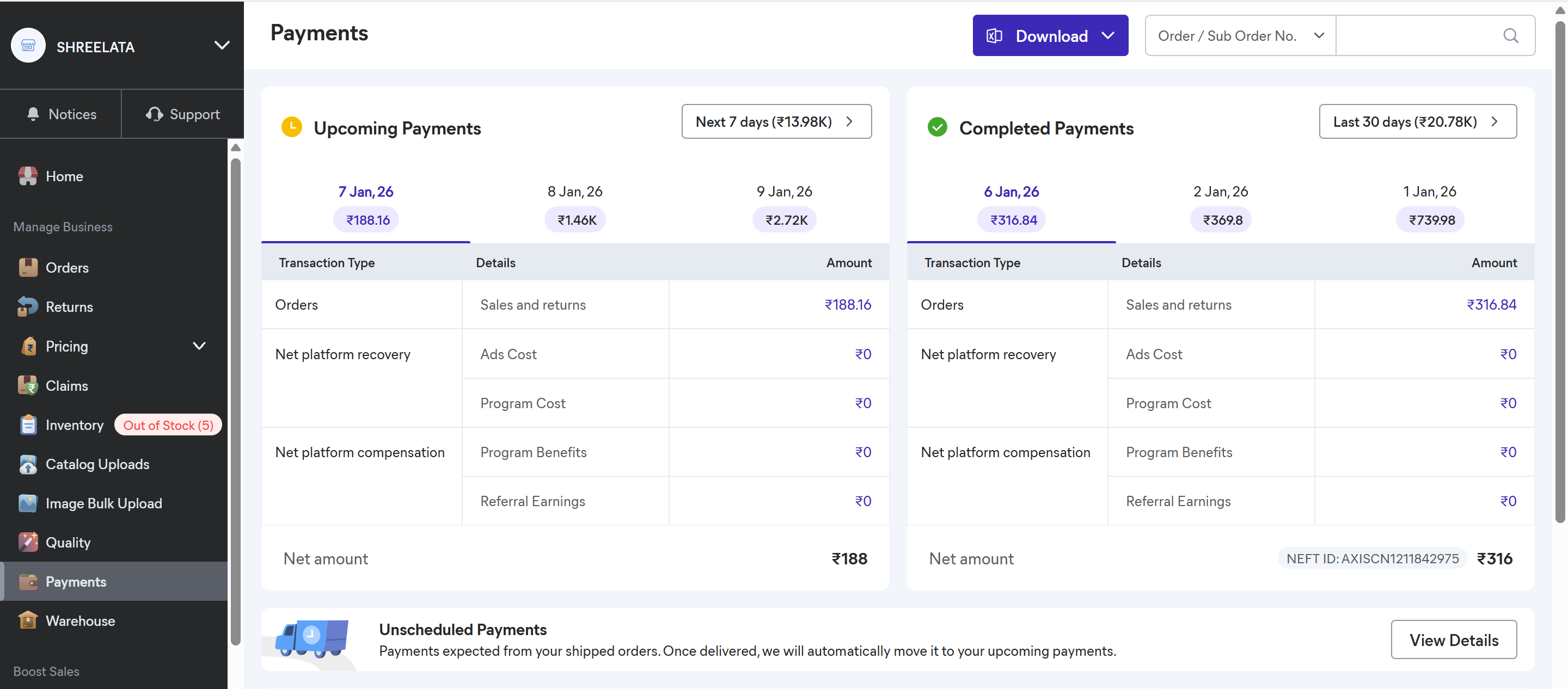

- Log in to your Meesho Supplier Panel at supplier.meesho.com
- From the left menu, go to Payments section
- Click the Download button (usually at the top right)
- Select GST Report from the options
- Choose the Year and Month you need (reports are typically available after the 5th of the next month)
- Click OK — a ZIP file will download
- Extract (unzip) the file on your computer — you'll find two Excel files:
- tcs_sales.xlsx (sales data)
- tcs_sales_return.xlsx (returns data)
Always extract the ZIP before importing — Octa can import the individual Excel files only.
Step-2: Import into Octa
- Open your company in Octa
- Go to the Sales page
- Click the Import button
- From the format dropdown, choose Meesho Format
- Upload the first file (e.g., tcs_sales.xlsx)
- Click Continue and follow the easy on-screen instructions
- Repeat the same steps for the second file (tcs_sales_return.xlsx)
Octa combines both files automatically — import usually completes in less than a minute!
Quick Tips & Troubleshooting
- Import both files for the same month to get complete & accurate GSTR-1 data.
- If the ZIP is missing files or download fails, raise a ticket in Meesho's Help section (Payments > I want GST or Sales report) — attach your downloaded ZIP for faster help.
- Errors during import? Octa shows clear row details — fix in the Excel, save, and re-import.
- Need reports for multiple months? Download and import one month at a time.
This direct import feature cuts manual work dramatically and keeps your GSTR-1 spot-on.